Mastering Active Directory: Manage And Optimize The Network
This post was published 2 years ago. Download links are most likely obsolete. If that's the case, try asking the uploader to re-upload.

Last updated 9/2023
MP4 | Video: h264, 1280x720 | Audio: AAC, 44.1 KHz
Language: English | Size: 8.67 GB | Duration: 17h 11m
Gain Essential Active Directory Skills for Windows Network Management
What you'll learn
System Administrators who are responsible for managing and maintaining the Windows Servers
Network Engineers who are responsible for designing, implementing, and maintaining network infrastructure, including servers.
IT Managers who manage IT teams and are responsible for overseeing the overall IT infrastructure within an organization
Security Professionals who maintain the security of the organization's IT systems
Helpdesk and Support Staff who provide support to end-users, such as troubleshooting and resolving issues related to Active Directory
Anyone who wants to learn about Active Directory
Requirements
Basic knowledge of Windows operating systems and Network
Description
Mastering Active Directory: Manage and Optimize the Network is a crucial course tailored for IT professionals tasked with overseeing, administering, and sustaining Windows-based networks. Active Directory stands as a pivotal element in network management, and this course delivers a thorough exploration of its features and capabilities, spanning from installation and configuration to troubleshooting common issues.Throughout the course, participants will acquire the skills needed to efficiently manage Active Directory objects like users, groups, and computers. Additionally, they will learn to configure and manage Group Policy, as well as handle Active Directory Domain Services (AD DS). The curriculum extends to cover essential aspects of Active Directory security, troubleshooting techniques, and best practices for ensuring a network's efficiency.Employing a blend of lectures, demonstrations, and hands-on lab exercises, this course provides practical experience in working with Active Directory. Participants will grasp how to optimize their networks for high performance, reliability, and security. Whether individuals are new to Active Directory or aiming to deepen their expertise, this course serves as a crucial tool for IT professionals striving to master Active Directory and advance their careers in network management.Testimonials:"this is super great " - Aboyomi Segun Opoola"Outstanding presentation!" - Daniel W Koffie OclooWith its robust content and hands-on approach, this course stands as an essential resource for professionals aiming to fortify their proficiency in Active Directory, providing a pathway to advancement in network management. The comprehensive curriculum ensures a holistic understanding, empowering participants to optimize Windows-based networks effectively
Overview
Section 1: About Course
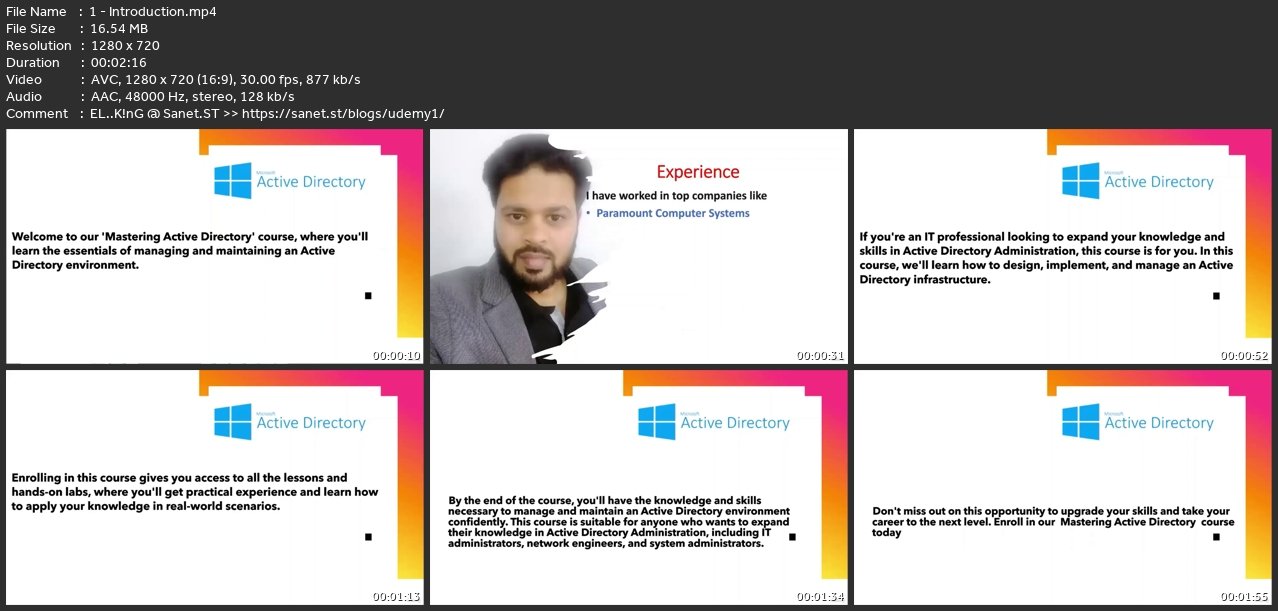
Lecture 1 Introduction
Lecture 2 How to get the most out of this course ?
Section 2: Operating System
Lecture 3 What is Operating System ?
Lecture 4 Windows Server 2022 OS Editions ?
Section 3: Windows Server 2022 Features
Lecture 5 64 bit OS
Lecture 6 Advanced Multilayer Security
Lecture 7 Supports Cloud Infra
Lecture 8 Hybrid Capabilities With Azure
Lecture 9 Improved Server Manager
Lecture 10 Supports GUI and CLI OS
Lecture 11 Group Policy Management Console
Lecture 12 Backup and Recovery
Lecture 13 DNS
Lecture 14 IIS
Lecture 15 Virtualization
Lecture 16 Windows Deployment Service
Lecture 17 Dynamic Host Configuration Protocol
Lecture 18 Active Directory
Section 4: Windows Server 2022 Installation
Lecture 19 Hardware requirements to Install Windows Server 2022 OS
Lecture 20 Different Ways To Install The Operating System
Lecture 21 Computer Specifications For Lab and verification
Lecture 22 Software requirement
Lecture 23 How to download Windows Server ISO image
Lecture 24 Download and Install VMWare Workstation
Lecture 25 How to create the virtual machine
Lecture 26 Installing Windows Server 2022
Section 5: IP Address
Lecture 27 What is an IP Address
Lecture 28 What is IPv4
Lecture 29 How to assign an IP address theory
Lecture 30 How to assign an IP address : Lab
Lecture 31 What is a Sub netmask ?
Section 6: Topologies
Lecture 32 What is a Tolplogy?
Lecture 33 Physical Topology
Lecture 34 Bus Topology
Lecture 35 Ring Topology
Lecture 36 Star Topology
Lecture 37 What is logical topology
Lecture 38 Workgroup Model
Lecture 39 Domain Model
Lecture 40 Domain vs Domain Controller
Lecture 41 Requirements For Domain Controller
Lecture 42 Terminologies
Lecture 43 Lab overview
Lecture 44 Verify if the Server is in Workgroup
Lecture 45 Configuring IP address and PDNS
Lecture 46 Installing ADDS Full
Lecture 47 Promoting the Server to a Domain Controller
Lecture 48 Verification
Lecture 49 Installing Member Server and Workstation
Lecture 50 Member Server VS Workstation
Section 7: User Management | Editing Password Policy
Lecture 51 How to do User Management and Edit Password Policy
Section 8: Permissions
Lecture 52 Account Lock Policy and Restrict Users
Lecture 53 Assigning Administrator rights to users
Lecture 54 Security Level Permissions
Lecture 55 Creating Files and Folders
Lecture 56 Removing Default Permissions
Lecture 57 User with Read Permission
Lecture 58 Shared Folder
Section 9: Profiles
Lecture 59 Local User Profile
Lecture 60 Roaming User Profile
Lecture 61 Home Folder
Section 10: FSRM
Lecture 62 What is FSRM?
Lecture 63 Storage Quota Management
Lecture 64 File Screening Management
Lecture 65 Storage Reports Management
Section 11: Organizational Unit
Lecture 66 What is an Organizational Unit
Lecture 67 Delegation
Lecture 68 Delegation LAB
Section 12: Additional Domain Controller (ADC)
Lecture 69 What is an Additional Domain Controller (ADC)
Lecture 70 Additional Domain Controller (ADC) Installation
Section 13: Tree and Forest
Lecture 71 What is a Tree
Lecture 72 NDEF Lab
Lecture 73 What is a Forest
Section 14: Active Directory Roles
Lecture 74 What Are Active Directory Roles
Lecture 75 Transfer Of Roles
Lecture 76 Seize Of Roles
Section 15: Group Policy
Lecture 77 Group Policy
Lecture 78 Group Policy With Labs
Lecture 79 Site Level Group Policy, Modeling & Script
Lecture 80 Home Folder with restrictions or Drive Map
Section 16: Trust
Lecture 81 Active Directory Trust
Lecture 82 Active Directory Trust Lab
Section 17: Active Directory Partitions
Lecture 83 What Are Active Directory Partitions
Section 18: Global Catalog
Lecture 84 Global Catalog
Section 19: Sites with Lab
Lecture 85 Sites with Lab
An Active Directory course is typically designed for IT professionals who are responsible for managing, administering, and maintaining Windows-based networks. This may include system administrators, network engineers, IT managers, security professionals, and helpdesk/support staff. These individuals may have varying levels of experience with Active Directory, ranging from beginners to advanced users.
Screenshots
Homepage
without You and Your Support We Can’t Continue
Thanks for Buying Premium From My Links for Support
Click >>here & Visit My Blog Daily for More Udemy Tutorial. If You Need Update or Links Dead Don't Wait Just Pm Me or Leave Comment at This Post
Quick check before we show the links
Helps us keep automated scrapers from hammering the filehosts.