Windows Thin Pc With Sp1 X86 English August 2018
This post was published 7 years ago. Download links are most likely obsolete. If that's the case, try asking the uploader to re-upload.
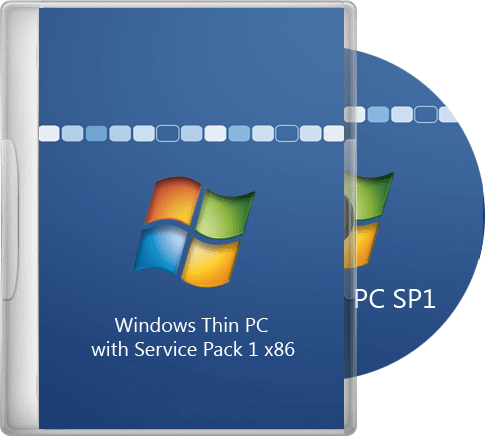
OS: x86 | Language: English | Size: 2,09 Gb
What's new
- Integrated
Internet Explorer 11
.NET Framework 3.5 SP1
.NET Framework 4.7.2
DirectX 9.29.1974
updates up until August 2018
- The following updated are NOT integrated
KB971033 -x86-x64 (Update for Windows Activation Technologies checking)
KB2952664 -x86-x64 (System Update compatibility for migration to Windows 10)
KB2977759 -x86-x64 (Diagnostics compatibility issues for upgrading to Windows 10)
KB3021917 -x86-x64 (diagnostics and telemetry systems to upgrade to Windows 10)
KB3035583 -x86-x64 (Update sets "Get Windows 10" application)
KB3068708 -x86-x64 (Update to improve the quality of diagnostics and telemetry)
KB3075249 -x86-x64 (Update adds a point telemetry consent.exe file)
KB3080149 -x86-x64 (Update for CEIP program and diagnostic telemetry)
KB3081954 -x86-x64 (Update to improve the working folders and telemetry)
KB3123862 -x86-x64 (Updated opportunity to upgrade to Windows 10)
KB3139923 -x86-x64 (Update adds a point telemetry consent.exe file)
KB3150513 -x86-x64 (Updated configuration for compatibility diagnostics)
KB3161608 -x86-x64 (Update adds a point telemetry consent.exe file)
KB3163589 -x86-x64 (Report on the work of running an outdated version of Windows)
KB3172605 -x86-x64 (Update adds a point telemetry consent.exe file)
KB3173040 -x86-x64 (Notice of the expiry of the update to Windows 10)
- Hashes
en_win_thin-pc_x86_aug2018.iso
SIZE: 2,09 GB (2 246 289 408 bytes)
CRC32: 448F967F
MD5: 826207EC0AB72AB36B69718CABB1FA7F
SHA-1: A2BE6BC1A5FA9B10789E22CF518BEE2D13FB0F3F
Minimum system requirements
CPU: 1GHz 32-bit or 64-bit
RAM: 1GB for 32-bit / 2GB for 64-bit
HDD: 16GB for 32-bit / 20GB for 64-bit
GPU: DirectX 9 graphics card with WDDM 1.0 driver
Installation
- Make a bootable DVD or USB
- Set up the BIOS to boot from CD/DVD or USB, insert the DVD or USB and reboot your computer
- When ???Press any key to boot from CD/DVD or USB??? appears, press any key on the keyboard
- Follow the stepps in the installation wizzard
- Windows Thin PC activation - Microsoft Toolkit
Homepage
Quick check before we show the links
Helps us keep automated scrapers from hammering the filehosts.