First Steps with Linux - The Practical Guide to Linux from the Command Line
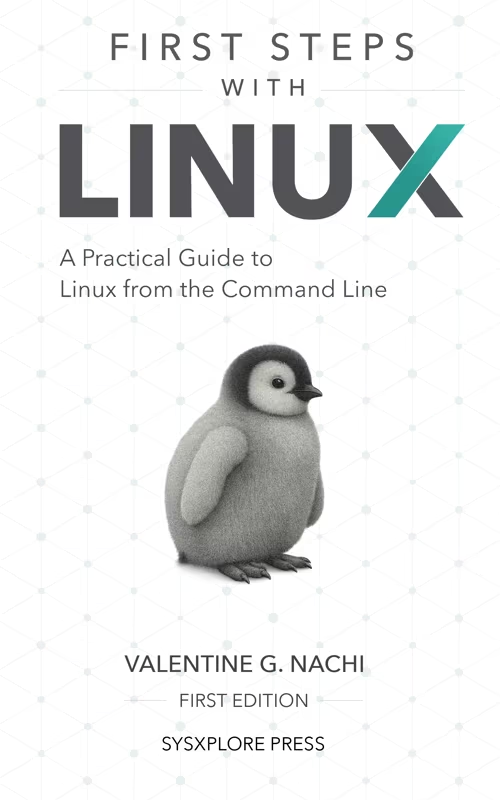
English | 2026 | ISBN: NA | 741 Pages | PDF, EPUB + Extras | 83 MB
The practical guide that takes you from zero Linux experience to confidently managing systems, networks, and storage — with hands-on examples every step of the way.
What You'll Learn
First Steps with Linux is written to get you from "I've never used Linux before" to "I can actually manage a system and understand what's going on."
Chapter 1
Linux and Why You Might Want to Use It
Understand what Linux is (and what a distro is), why people choose it, and how it differs from Windows and macOS. By the end of this chapter, you’ll know Linux’s core architecture and why command-line skills are essential.
Chapter 2
Getting Started with Linux
Set up Linux safely on your current machine using VirtualBox, WSL, Vagrant, or a live environment. Learn the initial install flow, run your first commands, and build confidence navigating the terminal.
Chapter 3
Working with Files and Directories
Learn how the Linux filesystem is organized, where important directories live, and how to work with paths confidently. You’ll practice creating, copying, moving, deleting, and linking files and directories, plus using help tools like man pages when you get stuck.
Chapter 4
Permissions and Ownership
Learn how Linux controls access with user, group, and others permissions using both symbolic and numeric modes. You’ll set permissions with chmod, manage ownership with chown/chgrp, understand umask defaults, and use sudo safely for administrative tasks.
Chapter 5
Advanced File Access Control
Go beyond basic rwx permissions with SUID, SGID, and the sticky bit for shared and multi-user environments. You’ll also learn ACLs and file attributes to enforce finer-grained access rules and protect critical files from accidental changes.
Chapter 6
User Management
Understand how Linux users and groups control access across a multi-user system. You’ll work with account files like /etc/passwd and /etc/shadow, then use tools such as useradd, usermod, passwd, and group commands to create, modify, and secure user accounts.
Chapter 7
Managing Software from the Command Line
Learn how Linux software management works across major distributions using apt, dnf, and lower-level tools like dpkg/rpm. You’ll install, update, remove, and troubleshoot packages, work with repositories (including local ones), compile from source when needed, and set up automatic updates.
Chapter 8
Managing Filesystems and Storage
Learn how Linux handles disks, partitions, and filesystems, from initial setup to everyday administration. You’ll identify devices, create and format partitions, mount and unmount filesystems, configure persistent mounts with /etc/fstab, and monitor disk usage to troubleshoot storage issues.
Chapter 9
Advanced Storage Management
Build production-ready storage skills with swap, LVM, RAID, NFS, autofs, and disk quotas. You’ll learn how to scale storage, improve resilience, manage network-mounted data, and control disk usage in multi-user environments.
Chapter 10
Working with Text Files with the Command Line
Master essential text workflows in the terminal: edit files with nano/vi/vim, inspect content with tools like cat/less/head, and process data using grep, cut, tr, redirection, and pipes. You’ll be able to read logs, update configs, and chain commands efficiently.
Chapter 11
Regular Expressions
Learn to build and read regex patterns so you can match structured text instead of just fixed words. You’ll use anchors, character classes, quantifiers, grouping, and alternation in tools like grep, sed, and awk to search, validate, and clean up text.
Chapter 12
Working with Archives and Compressed Files
Learn the difference between archiving and compression, then use tar, gzip, bzip2, xz, and zip to package and extract files safely. You’ll inspect archive contents before extracting, choose the right format for backups and transfers, and avoid common extraction mistakes.
Chapter 13
Linux Process and Service Management
Learn how to monitor and control running processes and services in Linux. You’ll use tools like ps/top/htop, signals, job control, priorities, and systemd commands to troubleshoot performance issues, manage background tasks, and keep services running reliably.
Chapter 14
Scheduling Jobs in Linux
Automate recurring and one-time tasks with cron, at, batch, and systemd timers. You’ll write reliable schedules, understand cron time fields, manage job output/logging, and troubleshoot missed or failing jobs.
Chapter 15
Introduction to Networking
Learn practical Linux networking from the command line: inspect interfaces, assign IP addresses, make changes persistent, and verify connectivity. You’ll also use SSH and secure file transfer tools to work with remote systems and troubleshoot common network issues.
Chapter 16
Introduction to Routing
Understand how Linux makes routing decisions on a host and how that differs from packet forwarding. You’ll work through destination classes, route scopes, routing tables, path selection (including metrics and ECMP), and policy-based routing concepts to reason about packet flow with confidence.
Chapter 3: File Operations
user@ubuntu:~$ ls -la documents/
drwxr-xr-x 2 user user 4096 Jan 15 10:30 .
drwxr-xr-x 5 user user 4096 Jan 15 10:29 ..
-rw-r--r-- 1 user user 1234 Jan 15 10:30 notes.txt
user@ubuntu:~$ cat documents/notes.txt
# My Linux Learning Journey
Today I learned about file permissions!
Master Linux Through Hands-On Learning and Best Practices
Structured learning path
This book starts at the very first command and builds step by step toward real system administration workflows. No prior Linux experience required. Each chapter builds on the last so you develop understanding, not just familiarity.
Practical command-first approach
You don't just read about Linux. You type the commands yourself, inspect real output, break things, fix them, and build confidence through hands-on practice. Every concept is reinforced through real interaction with the system.
Core skills that transfer across distros
You'll learn Linux fundamentals that work across distributions. Examples are aligned with Ubuntu/Debian and Fedora/RHEL-style systems, so you understand how Linux behaves beyond a single distro.
Depth where it matters
Beyond the basics, you'll work with permissions, filesystems, process management, text tools, software management, networking, and firewall fundamentals. Each topic builds toward real administrative capability, not just isolated commands.
Outcome
You'll walk away able to work comfortably in a Linux environment with a strong foundation you can use in your daily work and throughout your career. You'll be prepared to manage servers, pursue certifications, and operate in real-world infrastructure with practical, hands-on skills.
Quick check before we show the links
Helps us keep automated scrapers from hammering the filehosts.