Pinterest Marketing: Pinterest Complete Course For Beginners
This post was published 3 years ago. Download links are most likely obsolete. If that's the case, try asking the uploader to re-upload.
Published 3/2023
MP4 | Video: h264, 1280x720 | Audio: AAC, 44.1 KHz
Language: English | Size: 4.40 GB | Duration: 8h 12m
Learn successful Pinterest marketing, get more traffic & sales, use Tailwind, SEO & automation for more reach!
What you'll learn
How Pinterest marketing works and how you can successfully turn it into a profitable business
How to find profitable niches, keywords and target groups on Pinterest
Learn how to get great traffic for your website, product or service
You'll learn basics & advanced ways of using Pinterest and how to deal with it
Learn more about the different content formats of Pinterest
Requirements
You need a PC/laptop with a good internet connection.
The topic of rich pins is not covered in this course.
Description
Pinterest Marketing: Pinterest Complete Course for Beginners. Learn successful Pinterest marketing, get more traffic & sales, use Tailwind, SEO & automation for more reach!Are you struggling to make your Pinterest marketing strategy work? Are you looking for a way to increase traffic and sales for your business?Without a successful Pinterest marketing strategy, your business is missing out on valuable traffic and potential sales. You don't have the time to learn everything about Pinterest marketing, SEO and automation, so you're stuck in the same place without any progress.The Pinterest Complete Course for Beginners is here to help! With this course, you'll learn the basics of successful Pinterest marketing, get more traffic & sales with SEO & automation tips, and start growing your business today. Get access now and start dominating Pinterest with ease!Stop wasting time on ineffective Pinterest marketing strategies! Get the Pinterest Complete Course for Beginners and start driving more traffic and sales to your business.Are you looking to take your business to the next level with Pinterest? This course teaches you everything you need to know about successful Pinterest marketing, from SEO and automation to get more reach, to creating stunning images that will draw attention.Take advantage of this unique opportunity to learn from experts in the field. With this course, you'll be able to leverage the power of Pinterest and skyrocket your business success.Start mastering Pinterest Marketing now! Sign up for the Pinterest Complete Course for Beginners and get ready for a whole new level of success.In this video course we discuss the mostly underestimated social media traffic platform Pinterest step by step! At the beginning, I'll show you the advantages and disadvantages that the network brings with it. In addition, we clarify the basic terms in detail, create an account together and also set up a business account. Then there is a small tour and the creation of advertising graphics (posts / pins) and advertising texts.On Pinterest, followers and likes are in the background. The algorithm of the platform rewards it when users find my content (aka pins) inspiring. Learn how you can use Pinterest for your business. Want to be successful with Pinterest? You'll learn how to get more traffic and sales, use SEO and automation, and much more! Want to learn how to be successful with Pinterest? Then this course is for you! Feel free to check out the preview videos.COURSE LEARNING CONTENTHow Pinterest marketing works and how you can successfully turn it into a profitable businessHow to find profitable niches, keywords and audiences on PinterestLearn how to get great traffic for your website, product or serviceYou'll learn basics & advanced ways of using Pinterest and how to deal with itLearn about the different content formats of Pinterest...and much more!Step right up and learn the secrets to Pinterest domination! This is the Pinterest Marketing Complete Course for Beginners, and it's the perfect way to unleash your brand's potential on this platform.With over 400 million active users and an engagement rate that's off the charts, Pinterest is a marketing dream come true. But with so many people competing for attention, you need to make your content stand out. That's where we come in. We'll show you how to create a Pinterest presence that shines, step by step.This video course is like a magic wand for your brand. With over 5 hours of video content, you can watch, learn, and master Pinterest marketing at your own pace. Whether you're a small business owner, marketer, or blogger, this course is packed with everything you need to know.With lifetime access, you can revisit the lessons whenever you need a boost. So, don't wait any longer. Sign up for Pinterest Marketing: The Complete Course for Beginners and watch your brand soar to new heights!Enroll in the course today. I look forward to seeing you there!Your instructorTobias
Overview
Section 1: Introduction
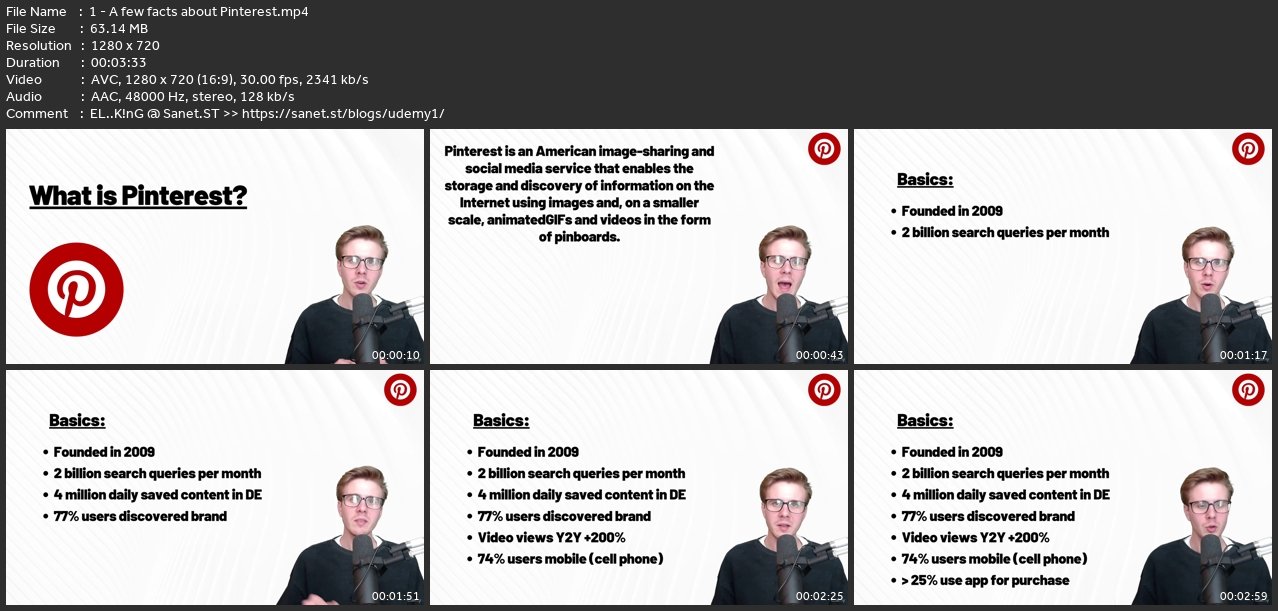
Lecture 1 A few facts about Pinterest
Lecture 2 Why to use Pinterest?
Lecture 3 Create a Pinterest account
Section 2: Pinterest Basics - It doesn't come for free
Lecture 4 Pinterest basic terms
Lecture 5 Profile description
Lecture 6 Pinterest settings & options
Section 3: Let's get started!
Lecture 7 Tour on the Pinterest platform
Lecture 8 Good profiles as an example
Lecture 9 The Pinterest algorithm explained
Section 4: Pinterest Keywords
Lecture 10 Keyword research with Pinterest trends
Lecture 11 Keyword research with Pinterest predicts
Lecture 12 How do I find keywords with Pinterest?
Lecture 13 Keyword research with Ubersuggest
Section 5: Pinterest Pinboards
Lecture 14 Create your first board
Lecture 15 Optimize your boards
Lecture 16 Add To-Do’s to your boards
Lecture 17 Group boards - create together for more reach
Lecture 18 Important notes about hashtags for Pinterest
Lecture 19 Niche analysis for Pinterest - what does a good pin look like?
Section 6: Create Pinterest graphics with Canva
Lecture 20 What is Canva?
Lecture 21 Create an account
Lecture 22 Navigating the Dashboard
Lecture 23 Elements, shapes and lines
Lecture 24 Photos, videos and uplods
Lecture 25 Overview of fonts & texts
Section 7: Pinterest Content creation (with Canva)
Lecture 26 Profile picture & Cover image
Lecture 27 Create Pinterest Pin with Canva - Variant 1
Lecture 28 Create Pinterest Pin with Canva - Variant 2
Lecture 29 Canva Templates for Pinterest
Lecture 30 Create Video Pin with Canva
Section 8: Upload Pinterest Pin
Lecture 31 Pin upload step-by-step
Lecture 32 Link products to your pin
Lecture 33 Note for product linking
Lecture 34 Edit pin in upload process
Lecture 35 Upload an idea pin (= story pin)
Lecture 36 Not for the idea pin
Lecture 37 Upload pins directly through Canva
Section 9: Helpful features & Content variations
Lecture 38 Helpful tool: Pin-It Button
Lecture 39 Pinterest Analytics - What actually matters!
Lecture 40 Create Pin Variations easily (1/2)
Lecture 41 Create Pin Variations easily (2/2)
Section 10: Tailwind Automation
Lecture 42 Introduction in Tailwind
Lecture 43 Tailwind Create
Section 11: Pinterest Growth Tips
Lecture 44 Pin, Pin, Pin
Lecture 45 Your personal traffic circle
Lecture 46 Importance of brand consistency
Lecture 47 Emotions take precedence over rationality
Section 12: Pinterest Tips & Tricks
Lecture 48 Pinterest - Do's and Dont's
Lecture 49 Engagement Tab
Lecture 50 Set up folders within your boards
Lecture 51 More tips & tricks #1
Lecture 52 More tips & tricks #2
Section 13: End of Part 1
Lecture 53 This is not a goodbye!
Section 14: Pinterest Ads
Lecture 54 What are Pinterest Ads?
Lecture 55 How to run Ads on Pinterest?
Lecture 56 Structure of the Ads Manager
Lecture 57 Campaign goals
Section 15: Your first campaign
Lecture 58 Start a first campaign
Lecture 59 Set targeting 1/2
Lecture 60 Set targeting 2/2
Lecture 61 Budget and Optimization
Lecture 62 The Ads Level – Ad Creative
Section 16: Design Creatives with Canva
Lecture 63 Create Pin Carousel Ad with Canva
Lecture 64 Create Video Ad with Canva
Section 17: More ads in detail
Lecture 65 Create Brand Awareness Ad
Lecture 66 Create Video VIews Ad
Lecture 67 Note for the Conversion Ads
Lecture 68 The fastway – How to use the "simple mode”
Section 18: Further settings
Lecture 69 What is Splittesting?
Lecture 70 Create an Audience
Lecture 71 Pinterest Conversion Tracking
Section 19: Thank you!
Lecture 72 Thanks for being a part of this course!
Lecture 73 Important: Disclaimer
Section 20: Bonus lecture
Lecture 74 Bonus lecture
Everyone who wants to get started with Pinterest.,Entrepreneurs who want to achieve more reach with Pinterest.,Email marketers looking for organic traffic sources for leads.,Personal Brands who want to scale their Pinterest and attract more fans.
Screenshots
Homepage
Https://anonymz.com/?https://www.udemy.com/course/pinterest-marketing-complete-course-for-beginners/
without You and Your Support We Can’t Continue
Thanks for Buying Premium From My Links for Support
Click >>here & Visit My Blog Daily for More Udemy Tutorial. If You Need Update or Links Dead Don't Wait Just Pm Me or Leave Comment at This Post
Quick check before we show the links
Helps us keep automated scrapers from hammering the filehosts.