Organize your Photos with Lightroom (Complete Guide)
This post was published 8 years ago. Download links are most likely obsolete. If that's the case, try asking the uploader to re-upload.

MP4 | Video: AVC 1280x720 | Audio: AAC 44KHz 2ch | Duration: 3 Hours | 954 MB
Genre: eLearning | Language: English
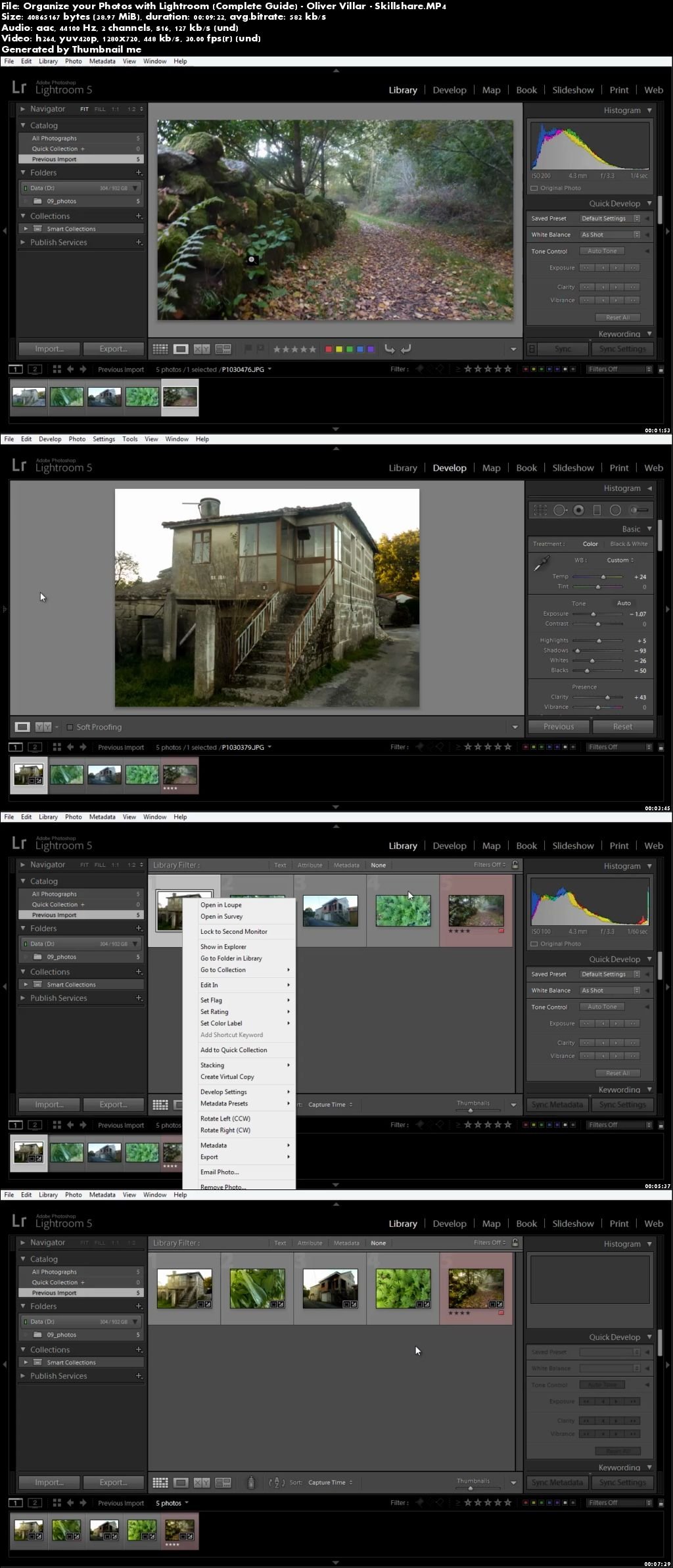
In this class, you'll learn the most important tools and workflows to use Lightroom*, the photo library and retouching suite from Adobe. Organize your photos, label them, color tag them… everything you need to keep your library tidy and clean so you can find whatever you need when you need it, quick and easy.
Not only that, Lightroom offers a series of tools for color correction, effects, red-eye and spot removal, cropping… One of the most useful things you can do with Lightroom is extending the corrections on one photo to all of the selected photos via Syncing: this is a game changer - color correct one photo, and with a couple of clicks, same changes will be applied to the whole set.
Screenshots
Screenshots
~~~~ Welcome to my Blogs ~~~~
Do not forget to check it every day!
If You should find any files not found, please PM me~ Download Download: Best Software for All
~ Tomorrowland2: Video Training
~ Pluralsight Tutorials: All Pluralsight Videos
~ EbookSA: Best Ebooks
~ Graphic World: Best Graphics
Quick check before we show the links
Helps us keep automated scrapers from hammering the filehosts.