Document Scanner 2.2.0
Languages: Multilingual
File Size: 1.76 GB
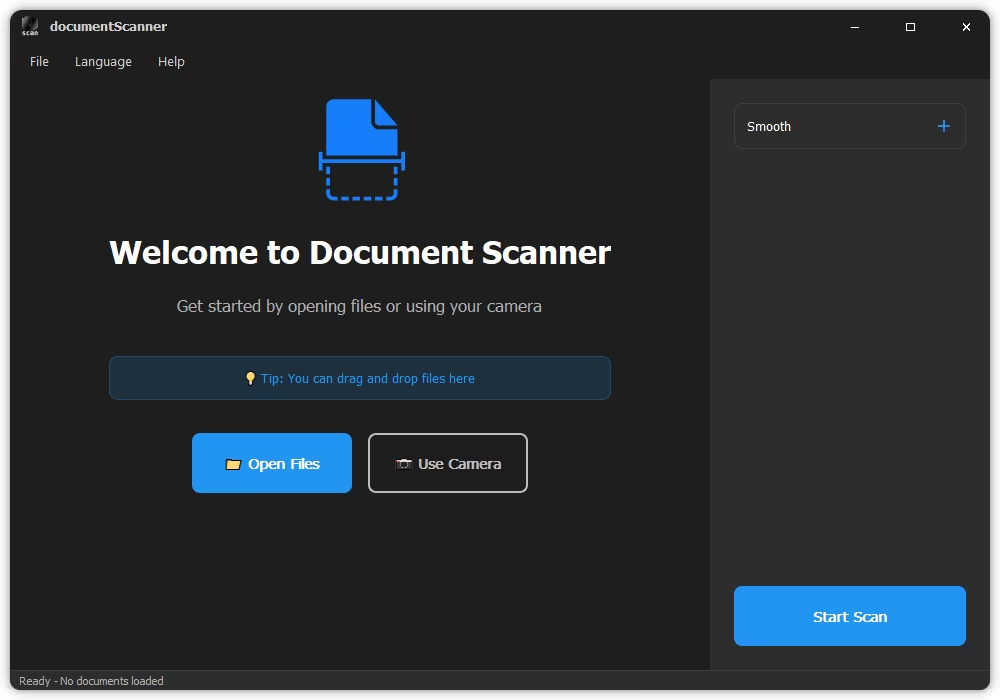
Document Scanner is a professional desktop document scanning and management application that provides complete document digitization solutions for individual and enterprise users.
Multi-Format Support
- Import: Common formats such as PDF, PNG, JPG, JPEG, TIFF, BMP, etc.
- Export: High-quality PDF, PNG, JPG, etc.
- Batch Processing: Process multiple document pages at once.
Powerful OCR Recognition
- Text Extraction: Quickly extract plain text from any image for fast copying and editing
- Full Structure Extraction: Advanced AI identifies layouts, preserving tables, headings, images, formulas, and paragraphs
- Multi-Format Export: Convert scans directly into PDF (searchable), TXT, MARKDOWN, WORD (DOCX), and HTML
- Multi-Language Engine: High-accuracy recognition for 60+ global languages
Professional Image Editing
- Smart Cropping: Automatically detects document boundaries
- Rotation Adjustment: 90-degree rotation, free rotation
- Color Optimization: Brightness, contrast, saturation adjustment
- Filter Effects: Black and white, grayscale, sharpening, etc.
- Annotation Tools: Rectangle, circle, arrow, text annotation
- Blur Tool: Protects privacy information
Camera Scanning
- Real-time camera capture
- Autofocus and exposure adjustment
- Instant scanning for rapid digitization
Multi-Page Document Management
- Thumbnail grid view
- Reorder
- Deletion and editing
- Page preview
Flexible Export Options
- PDF Export: Supports multiple page layouts (single-page, double-page, grid)
- Print Support: Adjustable scaling and margins
- Batch Export: Saves all pages at once
Modern Interface
- Dark theme design, eye protection
- Borderless window, clean and beautiful
- Smooth animation effects
- Responsive layout, adapts to various screens
Supported OCR Languages
Our high-precision AI engine now supports an extensive range of global languages across multiple scripts.
Release Notes
- Supports importing PDF files
- Added OCR recognition feature
- OCR results can be exported in PDF, WORD, HTML, MARKDOWN and other formats
- Fixed known bugs
System Requirements
- OS: Windows 10 version 17763.0 or higher
- Memory: 8 GB (Minimum), 16 GB (Recommended)
- Processor: Intel Core i7-10th Gen / AMD Ryzen 7 4000 (Minimum), Intel Core i9-12th Gen / AMD Ryzen 9 5900X (Recommended)
Quick check before we show the links
Helps us keep automated scrapers from hammering the filehosts.