WiFi Mouse Pro v1.7.0 + server Final
This post was published 10 years ago. Download links are most likely obsolete. If that's the case, try asking the uploader to re-upload.
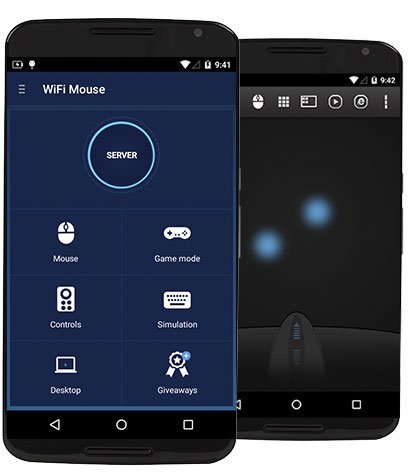
WiFi Mouse Pro v1.7.0 + server Final | 9.7 MB
Transform your phone into a wireless mouse, keyboard, remote desktop and trackpad using WiFi Mouse. it enables you to control your PC, MAC or HTPC effortlessly through a local network connection. You can relax on the sofa and control Netflix, Hulu, Spotify or YouTube in the comfort of your own home.
What can WiFi Mouse do for you?
➢ Wireless mouse
Support mouse left/right click and scroll
➢ Wireless keyboard
Support Android system keyboard and simulate computer keyboard
➢ Wireless joystick
Game controller for control your computer games
➢ Another computer
Operate your computer like in front of a computer(support RDP)
➢ Computer controllers
Control media player, internet explorer, Presentation, windows, even shutdown your computer.
WiFi Mouse features:
● Mouse movement and click
● Make scrolling
● Android keyboard or simulate full screen computer keyboard
● Voice to text to computer
● Many gestures
Tap,double tap,two fingers slide, three fingers drag and drop, four fingers slide
● Computer applications list and start
● Media controller
Control media player, VLC, Spotify and so on
● Presentation controller
Control PPT, Keynote
● Shutdown
Shutdown, restart, and logout your computer
● RDP
Login and operate your computer
● Compatible with Windows/Mac OSX/Linux (Ubuntu).
Setup
1, install WiFi Mouse app for Android
2, install mouse server for Windows/Mac.
3,Run Mouse server on computer, and run WiFi Mouse at phone.
What's New
1, Add remote applications features(Must install v1.7 mouse server from wifimouse.necta.us)
2.Unlock remote desktop features.
3, Fix some bugs.
Requires Android: 2.3 and up
Download Links
Please don't forget to rate my post if you like it

For more Android Apps Connect to My Blog